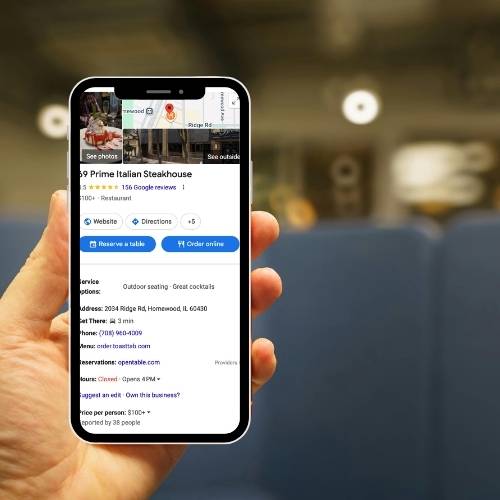
Most Google Business Profile advice sounds the same. Add photos. Get reviews. Fill everything out. Those basics matter. But they are not what separates businesses that show up consistently in the map pack from those that fluctuate or disappear.
Ranking higher on Google Maps in 2026 requires understanding how Google evaluates relevance, engagement, and stability. It also requires optimizing for leads, not just impressions.
Below is a deeper, structured look at how to approach Google Business Profile optimization with strategy instead of guesswork. Understanding Google Business Profile Ranking
Key Takeaways
- Google Business Profile optimization in 2026 is about more than filling out the basics. It requires clear relevance, steady engagement, and a profile built to generate leads.
- Your primary category is one of the strongest ranking signals. It should match the service you most want to rank for, not just broadly describe your business.
- The services section should use specific, search-friendly language that reflects how people actually look for your services.
- Reviews should grow consistently over time and include details about the specific service provided to help strengthen relevance and trust.
- Photos, Q&A, Posts, and appointment links all play a role in helping people feel confident enough to call, click, or request directions.
- Your website and Google Business Profile should work together with consistent service language, location signals, business details, and messaging.
- Ranking is only part of the goal. The real value comes from turning Google Maps visibility into calls, form fills, booked appointments, and measurable leads.
Understanding Google Business Profile Ranking Factors
Google still evaluates local listings based on three core factors: relevance, proximity, and prominence. Understanding these clearly is essential before attempting any optimization.
Relevance refers to how closely your Google Business Profile matches what someone is searching for. This is influenced by your primary category, secondary categories, services listed, review language, and how well your website supports those topics. The clearer and more specific your profile is about what you actually do, the stronger your relevance signal.
Proximity refers to how physically close your business is to the person searching or to the location term included in the search. This factor cannot be ethically manipulated. Businesses outside a searcher’s immediate area can still rank, but proximity remains a core variable.
Prominence reflects your business’s authority and engagement. This includes review volume and recency, photo engagement, profile activity, brand mentions, and overall behavioral signals such as clicks, calls, and direction requests. Prominence is often what separates equally relevant competitors in competitive markets.
When two businesses are similarly relevant and close to the searcher, prominence and engagement patterns frequently determine who wins the top positions.
Choosing the Right Primary and Secondary Categories
The primary category is one of the strongest ranking signals in Google Business Profile. Most small businesses set this once and never revisit it. A better approach:
- Search your primary service.
- Study the top three results.
- Compare their primary category to yours.
- Align your category with your highest revenue service.
Secondary categories should support, not dilute, your positioning.
For example, imagine a remodeling company whose primary revenue comes from kitchen renovations. If their Google Business Profile is set to General Contractor, Google sees them as broad and non-specialized. Meanwhile, competitors using Kitchen Remodeler as their primary category are sending a more precise signal.
When someone searches for “kitchen remodeling near me,” Google is more likely to prioritize businesses that have declared that exact specialty as their primary category. Even if both companies perform the same work, the one with the more specific primary category often has stronger relevance.
Categories are not branding decisions. They are positioning decisions. The goal is not to describe everything you do. The goal is to clearly signal what you want to rank for.
Optimizing the Services Section for Topical Authority
The Services section is often underutilized.
Google uses service listings to reinforce relevance. When service names align with real search behavior and are supported by review language, authority strengthens.
Instead of broad entries like:
- Electrical Services
- Plumbing Work
Use:
- Panel Upgrades
- EV Charger Installation
- Water Heater Replacement
Order services strategically. Lead with the highest intent, highest revenue offerings.
Remove services that are rarely performed or loosely related. Dilution weakens topical clarity.

Building Review Relevance and Recency
Reviews influence both ranking stability and conversion.
The focus should move beyond volume toward relevance and velocity.
Best practices:
- Encourage steady monthly review growth rather than bursts.
- Ask customers to mention the specific service provided.
- Respond to reviews consistently and thoughtfully.
- Encourage photo reviews when appropriate.
A simple shift in wording helps to improve the quality of your reviews:
Instead of asking for “a review,” ask customers to mention the specific service they received. This strengthens contextual signals and improves buyer confidence.
Recency matters. Profiles with steady review flow tend to show more stable rankings over time.
Optimizing Photos for Click Through and Engagement
Photos on a Google Business Profile are more than visual polish. They can directly influence whether someone clicks your listing, calls you, or requests directions. Google also tracks photo engagement, including how often your photos are viewed and how users interact with your profile after viewing them, so photo strategy can support both conversion and visibility over time.
Instead of uploading images randomly, treat the first set of photos like your profile’s hero section. The first five images people see should be intentional and designed to answer the questions a buyer is silently asking: Is this place real, does it look professional, and can I trust them to do the job.
A strong starting set typically includes:
- An exterior or storefront photo that makes the business easy to recognize
- An interior shot or team photo that builds trust and legitimacy
- A service in action photo that shows real work happening
- A finished result photo that shows quality
- A social proof visual such as a happy customer image a branded job site shot or an award sign
Using Google Business Profile Features to Increase Engagement
Some Google Business Profile features are not direct ranking factors, but they can amplify the signals that often separate one listing from another, especially when competitors are similarly relevant and nearby. Think of these features as engagement multipliers. They help prospects act faster, keep people interacting with the profile longer, and reduce uncertainty, which can increase clicks, calls, and direction requests. Used intentionally, they turn a profile from a static listing into a lead funnel.
Q and A Strategy
The Q and A section is one of the easiest places to reduce hesitation and pre-qualify leads. It also protects your profile from random users posting incorrect answers. While Q and A is not typically viewed as a direct ranking lever, it can improve engagement and conversions because it addresses objections before a prospect ever clicks to your website.
A strong approach is to seed a handful of high intent questions that mirror what people ask right before they book. Examples include:
- Do you offer same day service
- What areas do you serve
- Do you work with insurance
Then answer in a way that is clear, specific, and aligned with your actual policies. Avoid vague answers. If your service area has boundaries, state them. If same day service depends on availability, say that. The goal is to remove uncertainty and make it easier for someone to choose you.
Mini example answer style: Yes, when schedule allows. Call early for best availability. We serve the northwest suburbs and Chicagoland with same day options on select services.
Tip for keeping this section clean: Review Q and A monthly. If a question is outdated or answered incorrectly by the public, fix it quickly.
Posts Strategy
Posts are often treated like social updates, which is why most Posts underperform. The better way to use Posts is as conversion focused messages that match buyer intent. Even if Posts are not a guaranteed direct ranking factor, they can increase engagement signals and help turn map views into calls.
Avoid announcement style content like:
- We are proud to serve our community
- New blog post is live
Instead, write Posts that connect to real buying triggers. Strong Post themes include:
- Seasonal demand and reminders
- Limited availability or time sensitive scheduling
- Cost saving opportunities or preventative service angles
- A single clear call to action
Mini example Post angles: Spring tune ups are booking fast. Reserve your preferred time this week. Water heater acting up. Same week installs available in many areas. Avoid emergency repairs. Schedule a preventative check today.
How to make Posts measurable: Use UTM parameters on Post links so you can see what traffic and conversions actually came from GBP. Then adjust your Post themes based on what drives engaged sessions and leads, not just views.

Appointment and Website Link Strategy
Many businesses send every GBP visitor to the homepage. That creates friction and loses leads because most homepages are not built for high intent searchers who are ready to take action.
A smarter strategy is to link based on the action you want the user to take.
Instead of defaulting to the homepage, link to:
- A high converting service page built for that intent
- A booking page with minimal steps
- A location specific landing page if you serve multiple areas
Mini example: If someone searches emergency electrician near me, sending them to a general homepage forces extra navigation. Sending them to a service page with clear pricing signals trust elements and a prominent call button usually converts better.
Measurement note Optimization is incomplete without tracking. UTM tag the website and appointment links so you can compare which destinations produce calls form fills and booked appointments. That data is what turns GBP into a repeatable lead channel.
Aligning Your Website with Your Google Business Profile
Google does not evaluate your Google Business Profile as a standalone listing. It cross checks what your profile says against what your website communicates to confirm what you do, where you operate, and how consistent your business information is. When those signals match, Google has an easier time understanding your business and showing it for the right searches.
The goal is simple alignment in a few key areas:
- Service language: The main services listed on your profile should also be clearly visible on your website, especially on core service pages.
- Location mentions: Your site should naturally reflect where you serve so it does not conflict with your profile address or service area.
- Business details: Name, phone number, hours, and general positioning should match across both.
- Descriptions and messaging: If your profile is focused on a specialty, your website should reinforce that focus instead of sounding overly broad.
When a profile and website contradict each other, Google gets mixed signals and rankings often become less stable. When alignment is tight, visibility tends to hold more consistently because both Google and customers can quickly understand what the business offers and whether it is the right fit.
How to Troubleshoot Google Business Profile Issues
Reverification Requests
Google may request reverification after:
- Address edits
- Category changes
- Bulk updates
- Suspicious activity
If this happens:
- Respond quickly
- Ensure signage matches your business name
- Use video verification carefully
- Avoid editing other profile elements during review
Common Suspension Causes
- Keyword stuffing business name
- Using virtual office addresses
- Duplicate listings
- Review gating
If suspended:
- Submit accurate documentation
- Provide real world proof of signage
- Be patient during reinstatement review
Duplicate Listings
Duplicate Google Business Profiles can dilute visibility because Google may split reviews, clicks, and engagement between two listings. They also confuse customers when one listing shows outdated hours, phone numbers, or addresses.
Audit periodically by searching Google Maps for:
- Your business name plus city
- Old phone numbers
- Past addresses
Then take action:
- Merge legitimate duplicates that represent the same business at the same location
- Remove outdated listings tied to old addresses or old business info
Suggested Edits
Suggested edits are changes Google or the public may apply to your profile, sometimes without you noticing. These edits can include hours, phone number, website link, categories, or even marking a business as closed.
Monitor weekly and treat changes to hours, category, phone, and website as urgent, since even small inaccuracies can reduce calls and directions fast. If an edit is wrong, correct it immediately and keep supporting details consistent across your website and listings.
Stability is a competitive advantage because a profile that stays accurate and consistent tends to rank and convert more reliably.

Improve Clicks Calls and Conversions from Google Maps
Ranking without conversion does not grow revenue. The goal is to turn map visibility into actions.
Start with the conversion basics inside the profile:
- Tight category alignment
- Strong opening lines in the description
- A clean, trust-building photo set
- Clickable phone and correct hours
- Fast replies if messaging is on
Many leads happen without a website visit, so measure what matters:
- Calls from the profile
- Direction requests
- Website conversions from GBP traffic
Impressions are easy to inflate. Actions are what drive revenue. Point of Action Marketing audits often find listings getting plenty of views but losing leads because the profile was never optimized to convert.
Quick Google Business Profile Optimization Tips
- Audit your primary category quarterly
- Maintain steady monthly review growth
- Encourage service specific review language
- Optimize your first five photos
- Seed high intent Q and A
- Link appointment button to a conversion page
- Remove irrelevant secondary categories
- Monitor suggested edits weekly
- Rotate photos quarterly
- Track calls and conversions not just impressions
Get a Google Business Profile Audit
Even well-maintained profiles often miss ranking and conversion opportunities.
A structured audit can uncover:
- Category misalignment
- Review gaps
- Engagement weaknesses
- Stability risks
- Missed conversion triggers
Google Business Profile Optimization Questions Answered
How long does it take for Google Business Profile changes to impact rankings?
Does posting regularly improve Google Maps rankings?
Can multiple businesses share the same address on Google Business Profile?
Yes if they are legitimately distinct businesses with proper signage and separate operations. Virtual offices or mailboxes often lead to suspension.
How many reviews are needed to rank in the map pack?
What is the most common mistake preventing businesses from ranking on Google Maps?
Get a Google Business Profile Audit
Even well-maintained profiles often miss ranking and conversion opportunities.
A structured audit can uncover issues that do not jump out during day-to-day management, like category misalignment, review gaps, weak engagement signals, stability risks, and missed conversion triggers.
Point of Action Marketing can audit your Google Business Profile and give you a clear, prioritized action plan based on what is most likely to improve rankings and lead flow.
Request a Google Business Profile audit from Point of Action Marketing and get a focused list of fixes, quick wins, and the next steps to compete in your market.